Use when · Use it to explore schedule data with start and end dates.
Tm Gantt
What is planned, and where do Activities overlap?
Explore project schedules on one shared timeline in Qlik Cloud.
Version 0.7.0 · released 2026-10-06
 View full size
What it does
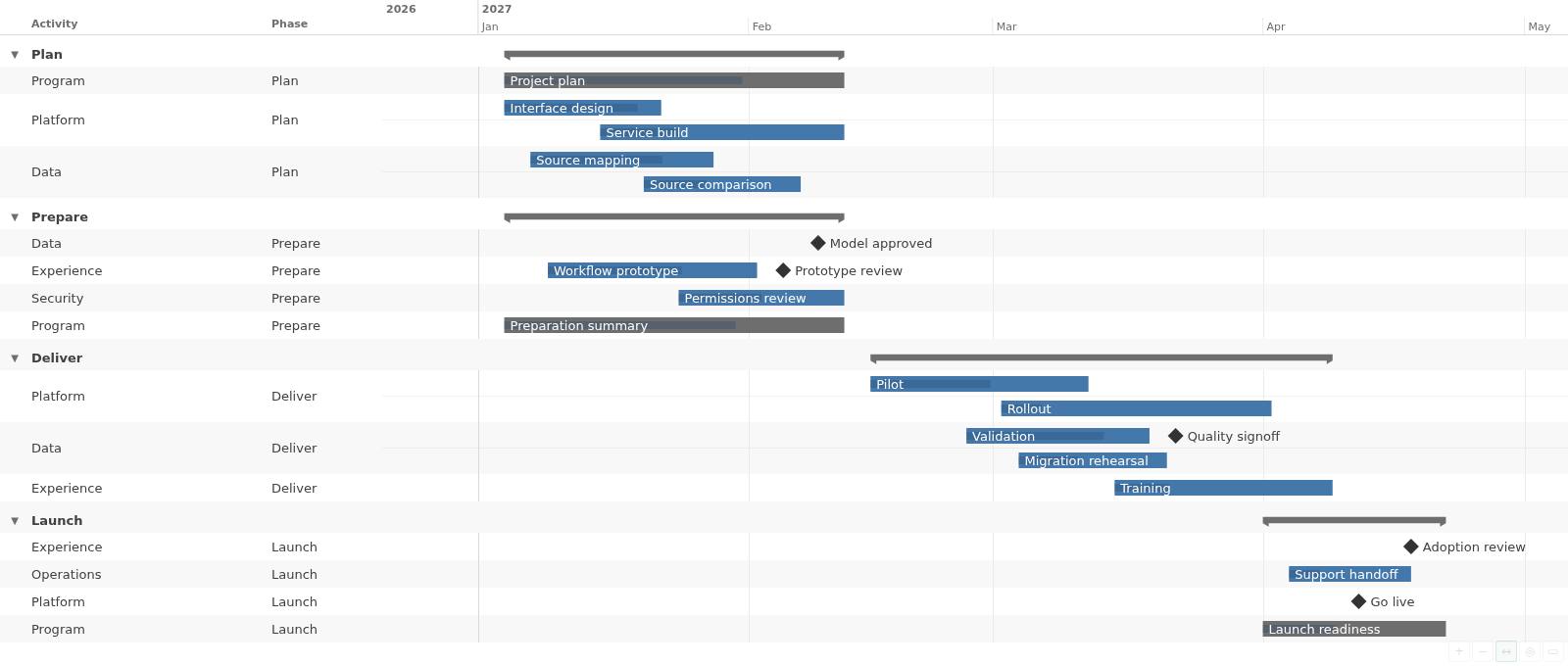
Tm Gantt turns schedule data into an interactive Gantt chart in Qlik Cloud. Choose a Row level dimension and assign the Activity start and Activity end measures to see Activities on one shared time axis. Group the rows, inspect overlapping work, and select chart values through Qlik. Tm Gantt reads schedule data; it does not change the app.
Key features
- Show Activities, milestones, and summaries on one time axis.
- Group schedules with collapsible levels and clear row structure.
- Place overlapping Activities in separate lanes on the same row.
- Add an optional table with up to six extra columns.
- Use progress, labels, tooltips, colors, and legends to read the plan.
- Select Activities with the pointer, keyboard, or touch in Qlik.
Extension in this Product
tmgantt
 View full size
 View full size
More screenshots
 View full size
Set up the Product
Installation
Install an extension in Qlik Cloud or client-managed Qlik Sense.
Product-specific install notes
A Qlik Cloud administrator first uploads the extension from the release download; the Site install guide shows how. After that, open a sheet and add it from the visualization extension list. Then bind your schedule dimensions and measures in the property panel.
Documentation
See what changed
Release notes · 0.7.0
Tm Gantt 0.7.0
New
- A native Qlik Styling tab follows Appearance in the property panel. Qlik draws the title, subtitle, footnote, border, and shadow.
- The chart surface follows the General background color. Transparent colors blend with the theme background. Chart text keeps at least 4.5:1 contrast, using black or white when needed.
Before you upgrade
- A saved chart without a Styling value looks the same.
- Activity, progress, milestone, summary, and Row decoration colors do not change with the background.
- A background image shows outside the chart surface.
- Qlik does not document the Styling panel, and a Qlik Cloud release can change it.
Get the latest release
Downloads, version 0.7.0
Extension
Demo App
Release page on GitHub with every file and its checksum.
Ask us for a license
How to get a license
- Review the Product Listing and its documentation.
- E-mail us the Product name, the name of your Qlik Cloud tenant and the number of users.
- We reply to you with the next step.