Use when · Use it to compare a measure across two dimensions at a glance.
Tm Heat Grid
Where in the grid are the highest and the lowest values?
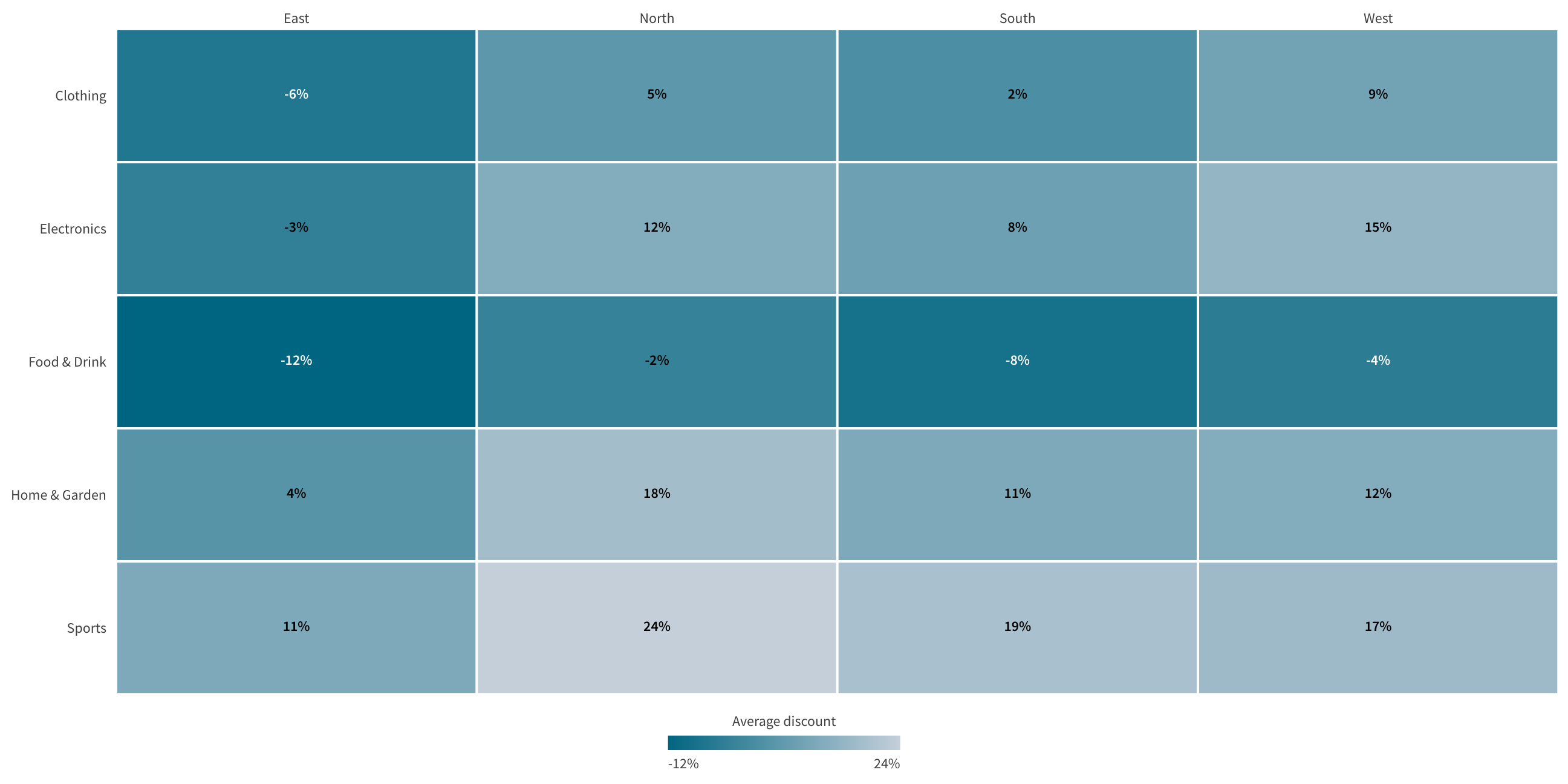
A heat grid for Qlik Cloud Analytics: two dimensions, cell color from a measure, and a second measure for context in each cell.
Version 0.2.0 · released 2026-10-23
 View full size
What it does
Tm Heat Grid is a heat grid for Qlik Cloud Analytics. It shows two dimensions as the rows and columns of a grid. Each cell shows how large a measure is by its color.
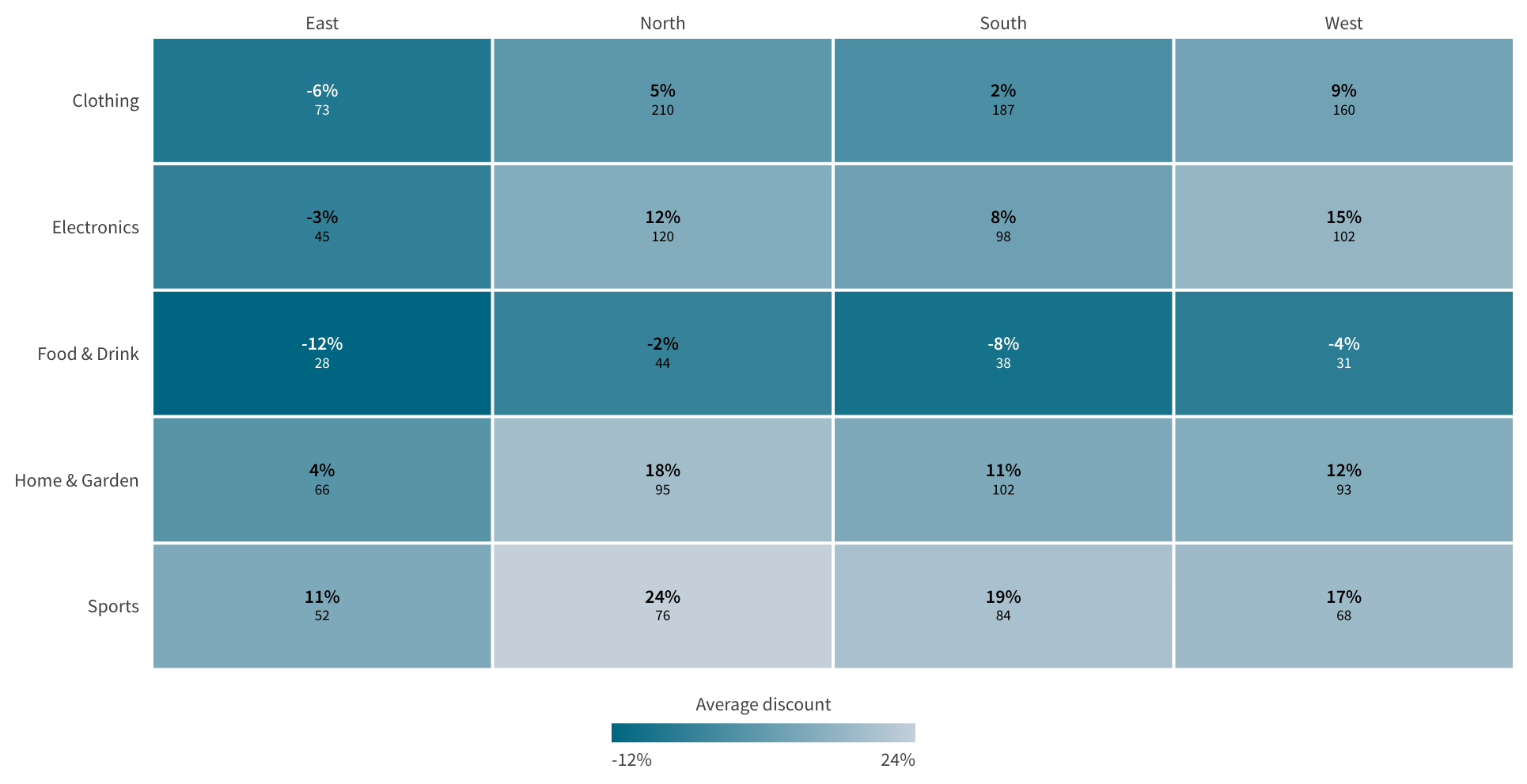
An optional second measure adds context in the same cell. For example, color the cell by revenue and print the order count next to it. Read the pattern first. Read the numbers second.
What you see
- One cell for each combination of a column value and a row value.
- Cell color from the primary measure, or from the secondary measure if you choose.
- A color legend that matches the color scale.
- Cell labels in three layouts: inline, stacked, or primary measure only.
What you can do
- Hover over a cell to read the column value, the row value and both measures.
- Click a cell, a column label or a row label to select values. Drag across cells to select a range.
- Use the keyboard to move through the cells and select values.
- Export the data and use View data from the Qlik menu.
Set it up in the property panel
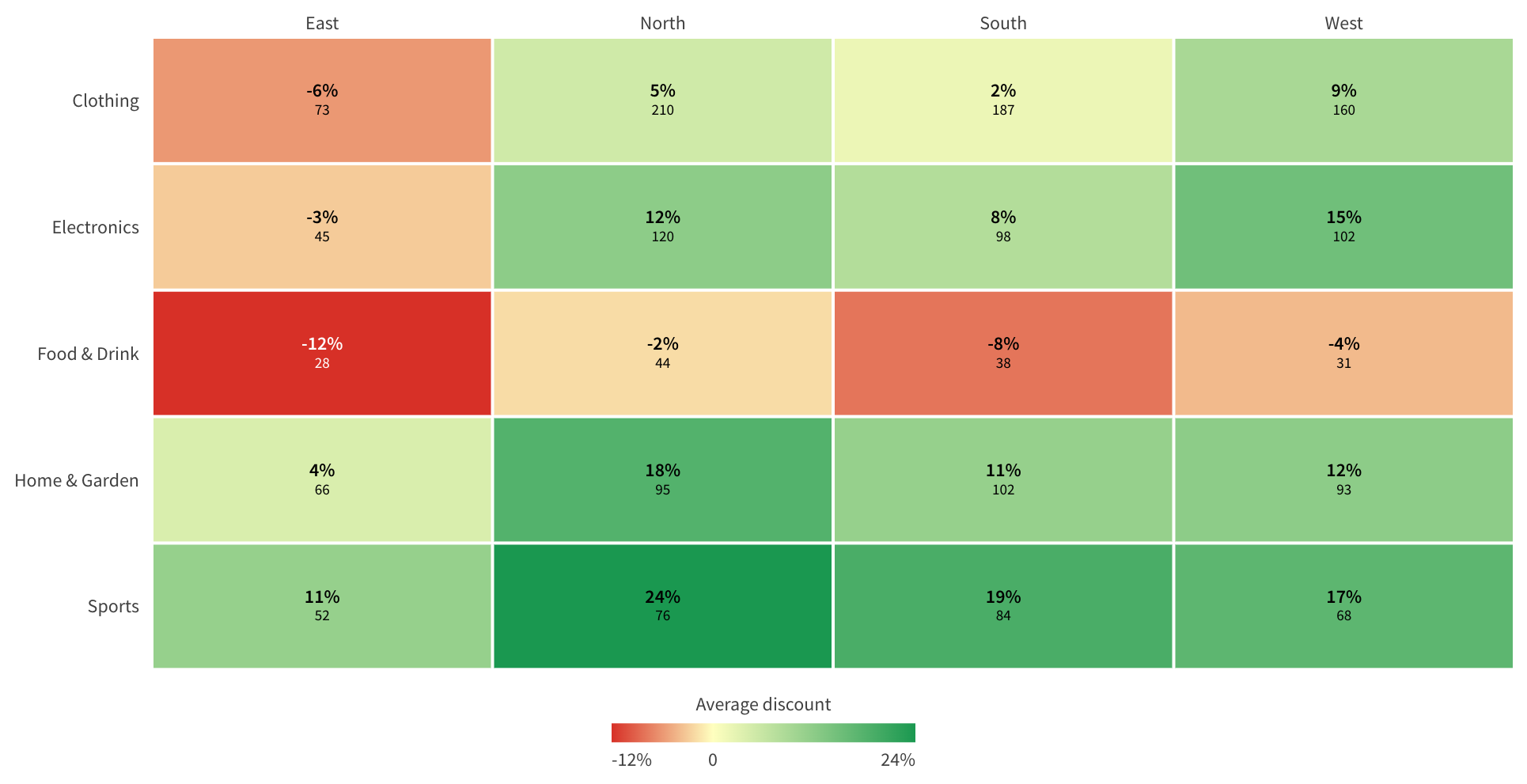
- Choose a sequential or a diverging color scale.
- Choose a theme palette, red-yellow-green, or your own colors.
- Set the color range automatically or with a minimum, a maximum and a midpoint.
- Hide labels for cells where the secondary value is null, zero or below a threshold you set.
- Set cell spacing and corner radius, and show or hide empty rows and columns.
- Set the maximum rows up to 50,000. The default is 10,000.
Good to know
Tm Heat Grid needs two dimensions and one or two measures. Story snapshots keep the data as saved. Image export, PDF export and sharing are not available for this chart.
Key features
- Two dimensions form the columns and rows of one grid.
- Cell color shows the primary measure on a sequential or diverging scale.
- An optional second measure adds context in the same cell.
- Three label layouts: inline, stacked, or primary measure only.
- Select by cell, by label or by dragging across cells, with full keyboard support.
- Theme palette, red-yellow-green or custom colors, with an automatic or fixed range.
- Export data and View data work as in other Qlik charts.
Extension in this Product
tmheatgrid
 View full size
 View full size
Set up the Product
Installation
Install an extension in Qlik Cloud or client-managed Qlik Sense.
Documentation
Get the latest release
Downloads, version 0.2.0
Extension
Demo App
Release page on GitHub with every file and its checksum.
Ask us for a license
How to get a license
- Review the Product Listing and its documentation.
- E-mail us the Product name, the name of your Qlik Cloud tenant and the number of users.
- We reply to you with the next step.